How Dental IT Teams Can Use AI Endpoint Security to Detect Threats Before They Disrupt Patient Care
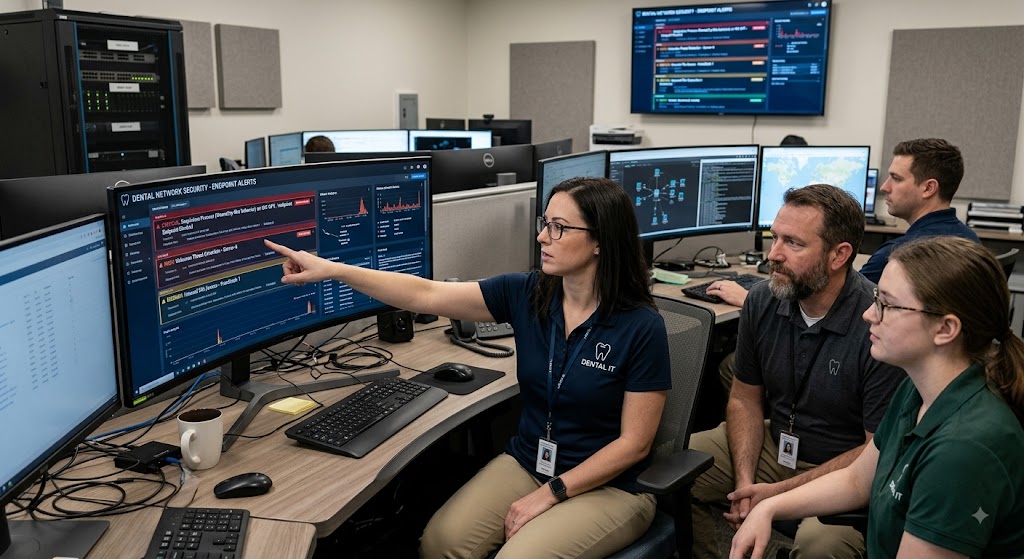
AI endpoint security can help dental IT teams spot suspicious activity on computers, laptops, servers, and other connected devices before an attack affects patient care. By using behavior analysis, automated detection, and faster alerts, dental practices can catch threats that traditional antivirus tools may miss.
For dental practices, security is tied directly to daily care. Front-desk teams need scheduling systems, clinicians need treatment records and imaging, and billing staff need payment and insurance systems. A strong endpoint strategy lets IT teams watch these devices continuously instead of waiting for someone to report a problem.
Why Are Dental Endpoints Such Valuable Targets?
Dental endpoints are attractive targets because they often connect patient records, practice management software, imaging systems, email, payment tools, and cloud services. A single infected workstation may give an attacker a path to more valuable systems.
Attackers also know that healthcare offices cannot easily tolerate downtime. A practice dealing with ransomware or stolen credentials may face delayed appointments, unavailable records, privacy concerns, and costly recovery work.
The risk is not limited to desktop computers. Reception kiosks, provider laptops, servers, remote-access devices, and systems connected to dental imaging can all become part of the attack surface. Each device needs appropriate controls, monitoring, and timely updates.
What Does AI Endpoint Security Detect That Basic Antivirus May Miss?
AI endpoint security looks for unusual behavior rather than relying only on known malware signatures. It can flag activity such as a program suddenly encrypting large numbers of files, a user account accessing systems at an unusual time, or a process making suspicious connections.
Traditional antivirus remains useful, but it may struggle when attackers use new malware, altered files, stolen credentials, or legitimate tools for harmful purposes. AI-assisted endpoint tools can compare activity against normal patterns and raise an alert when behavior does not fit.
For example, an employee may normally open dental software, email, and approved cloud applications. If that workstation suddenly launches an unfamiliar process, accesses many patient files, and sends unusual network traffic, the combined behavior can signal a threat even when no known malware signature exists.
How Can AI Help Detect Ransomware Before Patient Care Stops?
AI can help identify ransomware by detecting behavior that often occurs during an encryption attack. Rapid file changes, unusual process activity, attempts to disable security tools, and abnormal access to shared folders can trigger alerts or automated controls.
Early detection gives IT teams a chance to isolate an affected device before the threat spreads. Some endpoint platforms can stop a suspicious process, quarantine a file, or disconnect a compromised machine while the IT team investigates.
This matters because ransomware does not need to reach every system to cause disruption. If one workstation can no longer access scheduling, records, imaging, or shared files, staff may already face delays. The goal is to contain the first signs of an attack rather than wait for widespread encryption.
Which Endpoint Behaviors Should Dental IT Teams Monitor?
Dental IT teams should monitor behaviors that could signal account compromise, malware, data theft, or unauthorized access. Useful signals include changes in file activity, login patterns, software execution, network connections, and security settings.
Unusual Login Activity
Unusual login activity can indicate stolen credentials or an account takeover. Alerts should cover repeated failed logins, access from unexpected locations, unusual login times, and sudden use of privileged accounts.
Suspicious File Activity
Large numbers of file changes can be an early ransomware warning. IT teams should pay close attention when a workstation rapidly renames, modifies, deletes, or encrypts files that it does not normally handle.
Unexpected Software Behavior
Unexpected software behavior can reveal malware even when an application looks legitimate. A trusted program launching an unfamiliar script, accessing sensitive folders, or making an unusual outbound connection deserves investigation.
How Should AI Alerts Be Handled in a Dental Practice?
AI alerts should be treated as investigation signals, not automatic proof that an attack has occurred. IT teams need clear rules for reviewing alerts, confirming what happened, containing genuine threats, and documenting the response.
A useful process starts with severity. A suspicious activity alert on a low-risk workstation may require review, while a compromised administrator account or server should receive immediate attention. Teams should also know who can isolate devices and when to contact an outside cybersecurity provider.
Too many alerts can create another problem: alert fatigue. Endpoint tools should be tuned around the practice’s normal activity so staff is not buried in low-value warnings. Security testing can help identify which alerts deserve urgent action.
Can AI Endpoint Security Support HIPAA Compliance?
AI endpoint security can support HIPAA security efforts by helping practices detect, investigate, and respond to unauthorized activity. It is not a complete HIPAA compliance solution because compliance also requires policies, access controls, risk assessments, workforce training, backups, and other safeguards.
Dental practices should be able to show how security events are monitored and handled. Logs, alert records, response procedures, access controls, and regular testing can help create evidence that security measures are being managed rather than installed and forgotten.
Technical controls also need employee awareness. Phishing emails, weak passwords, unsafe downloads, and poor handling of credentials can still create openings for attackers.
What Should Dental IT Teams Include in an AI Endpoint Security Plan?
A strong plan combines prevention, detection, response, recovery, and regular testing. The technology should fit the practice’s software, devices, remote access needs, and compliance requirements rather than operate as an isolated security product.
Start With an Endpoint Inventory
An endpoint inventory shows which devices need protection and which ones may have been overlooked. Include desktops, laptops, servers, remote devices, and other systems that connect to practice networks.
Set Baselines for Normal Activity
AI detection works better when the system has useful information about normal behavior. Review common applications, users, login patterns, file access, and network connections so unusual events are easier to identify.
Connect Detection With Response
Detection without a response plan can leave a practice exposed. Define who receives alerts, who can isolate a device, how evidence is preserved, and how staff communicates during an incident.
Test the Controls
Security testing can reveal gaps before attackers do. Controlled phishing tests, endpoint checks, access reviews, and incident response exercises can show whether people and systems react as expected.
What Common Mistakes Reduce Endpoint Security?
The biggest mistakes are incomplete device coverage, delayed updates, weak access controls, poor alert handling, and assuming backups alone will solve a ransomware incident. A backup can help restore data, but it does not stop an attacker from stealing information or disrupting operations.
Another issue is leaving old devices or unsupported software connected to the network. If a device cannot receive security updates, it needs a documented replacement or isolation plan.
Dental practices should also avoid giving broad administrator access simply for convenience. Least-privilege access limits what an attacker can do if an account or endpoint is compromised.
How Can Dental IT Teams Prepare for a Threat Before It Spreads?
Preparation starts with knowing what normal looks like and deciding what happens when that pattern changes. Practices should have tested backups, current endpoint protection, clear escalation steps, and a way to isolate compromised devices quickly.
IT teams should review security alerts regularly instead of waiting for a major incident. They can also use security testing to check whether employees recognize phishing attempts and whether endpoint controls respond as expected.
For practices without a dedicated security team, a managed IT partner can provide monitoring, security testing, endpoint protection, backup support, and compliance guidance. Compass Network Group supports dental and medical practices with cybersecurity, AI endpoint security, network management, backup, firewall security, and security training.
People Also Ask
Does AI Endpoint Security Replace Antivirus?
No. AI endpoint security adds behavior-based detection and automated response capabilities, while traditional antivirus still provides useful protection against known threats. The strongest approach combines multiple security controls.
Is AI Endpoint Security HIPAA Compliant?
AI endpoint security can support HIPAA safeguards, but the technology itself does not make a practice compliant. HIPAA requires a broader security program that includes risk management, access controls, training, policies, and other safeguards.
Can AI Endpoint Security Stop Ransomware?
It can detect and sometimes block ransomware behavior before widespread damage occurs. Results depend on the endpoint platform, configuration, response rules, and how quickly suspicious activity is contained.
Why Do Dental Practices Need Endpoint Monitoring?
Dental practices depend on connected systems for records, scheduling, imaging, billing, and communication. Continuous endpoint monitoring can help identify suspicious activity before a compromised device becomes a larger operational problem.
Protect Patient Care With Smarter Endpoint Security
AI endpoint security gives dental IT teams an additional layer for finding suspicious behavior early, containing threats, and reducing the chance that a security incident becomes a patient-care disruption. It works best as part of a broader program that includes firewalls, backups, access controls, employee training, testing, and HIPAA-focused security practices.
Compass Network Group helps dental and medical practices manage these IT and cybersecurity needs, including AI endpoint security, proactive security tools, backups, firewall security, and training. Contact us to review your current endpoint protection and build a security plan designed to reduce technology disruptions.